Centre
Sixty dealers, one screen, two minutes a day
How an antiques centre runs on Dealer Centre: from the six question sign up to statements that write themselves. Written for the person who cashes up, not for IT.
Set up in six questions
Name and town, roughly how many dealers, rent and when you take it, commission, what till you have, confirm. Then add a card: £299 a month, 14 days free, cancel any time.
- 1Go to thedealercentre.co.uk, press I run a centre, sign in with your email.
- 2Answer the six questions. If your dealers have already added your centre, it will offer it to you: press This is mine and they come with it.
- 3Add card and start trial.
- 4You get a centre code (give it to dealers) and a till PIN (for the Till screen).
Add your dealers, on the app or not
Every dealer gets a line, whether or not they ever use the app. Use the code already on their tickets so nothing changes on the floor.
- 1Dealers page, Add a dealer: name, ticket code, pitches. One per line, as fast as you can type.
- 2Dealers who sign up to the app later pick their own name from a list and keep the same code and history.
- 3Join requests from dealers who signed up themselves appear on the Mapping page: approve, and check the rent they declared.
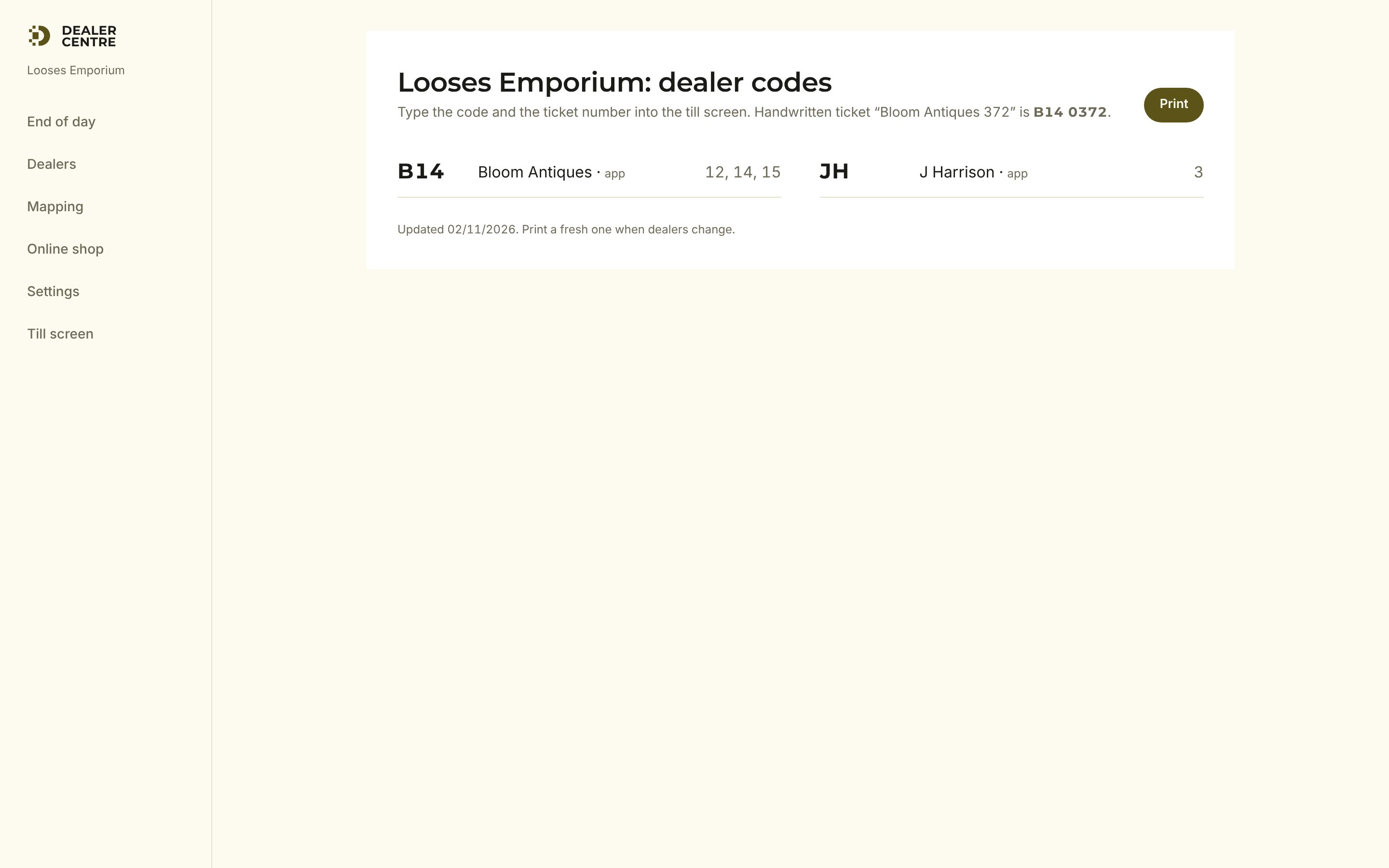
- 4Print code sheet gives you a one page list of who is who for the till.
Recording sales with the till you have
Three ways, pick what suits the day. All three end up in the same place.
An iPad or phone by the till. Enter the PIN, scan or type the ticket, cash or card, done. Records at the moment of sale.
Gather the tickets the till kept. Scan or type each one, correct any discounted price, press Record. Two minutes.
Connect it in Settings. Items appear on the till under each dealer's category with their barcode. The till records itself.
End of day, step by step
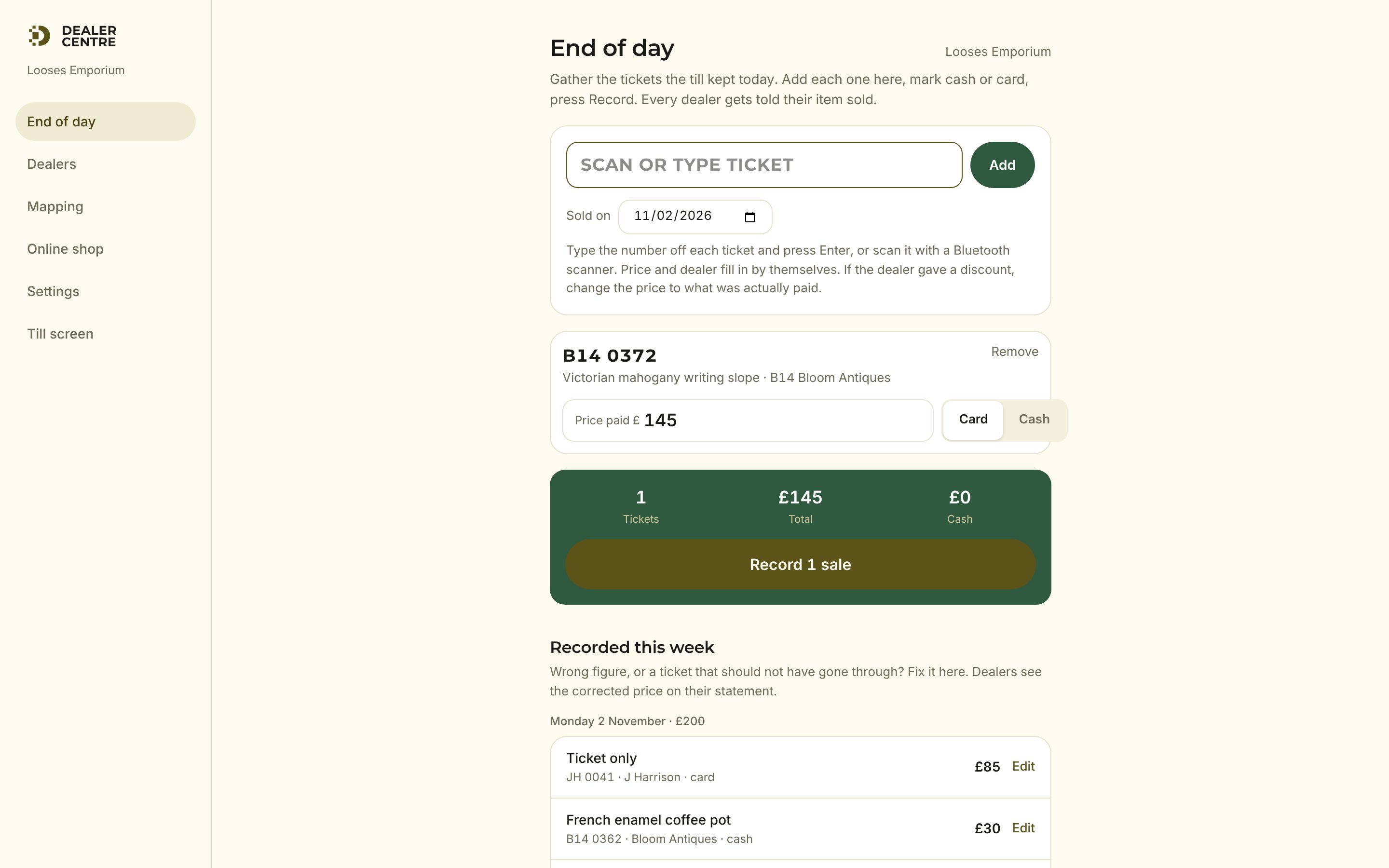
- 1End of day in the menu. The cursor is in the ticket box.
- 2Type the ticket number off each ticket and press Enter, or scan it. B14 372, b14372 and B14 0372 are all the same ticket.
- 3Title, dealer and price fill in. If the dealer gave a discount, overtype the price with what was paid.
- 4Tap Card or Cash for each.
- 5Press Record. Every dealer whose item sold gets a buzz on their phone.
- 6Below, Recorded this week lists every ticket. Edit a figure or Undo one that should not have gone through.
The dashboard
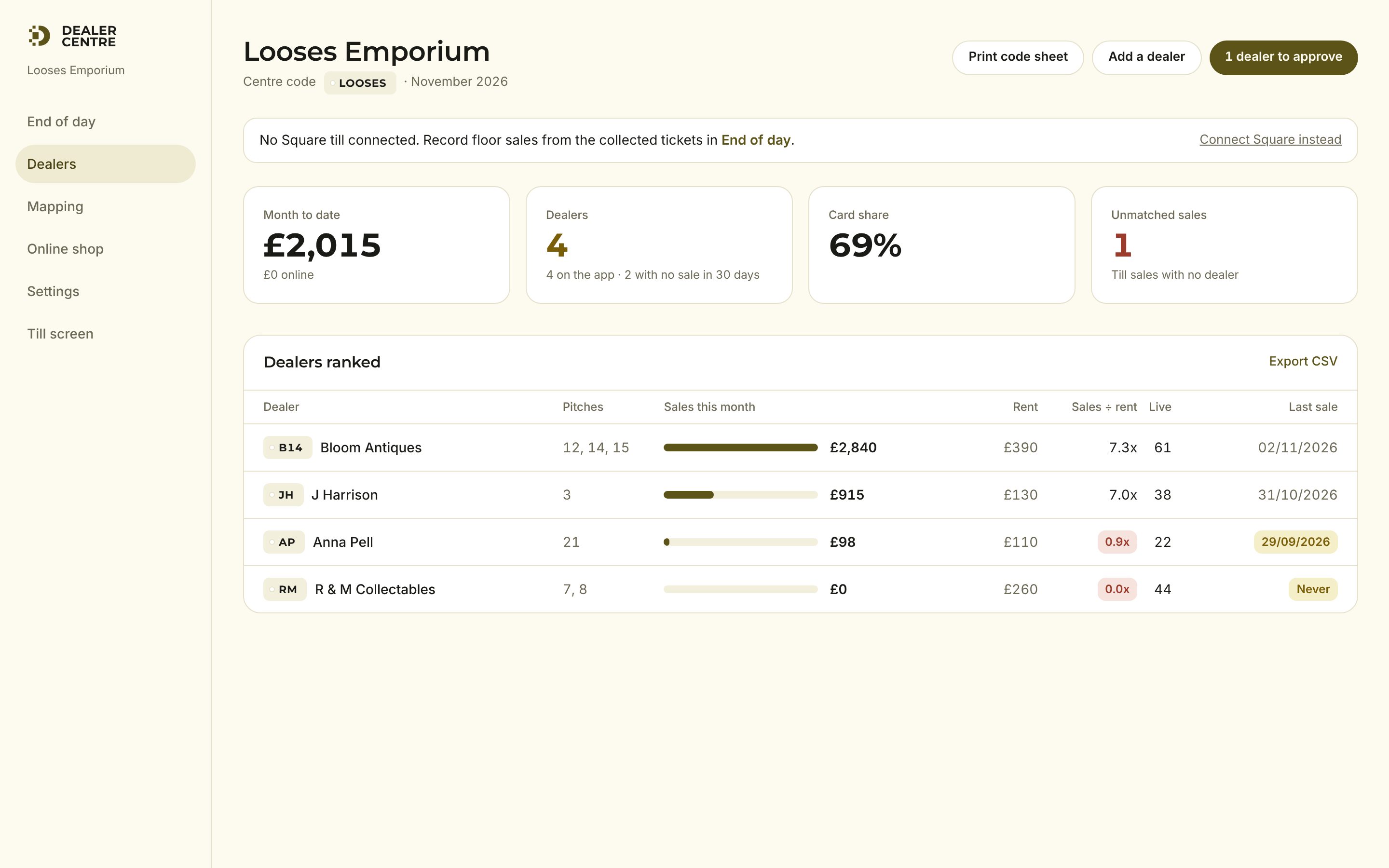
Month to date, dealers ranked by sales with their rent beside it, who has not sold in 30 days, and any till sales that could not be matched to a dealer. Export to CSV for your accountant.
Statements and payouts
At month end every dealer's statement is worked out: floor sales minus your commission and rent, online sales minus the online commission, net owed. Dealers see theirs in the app with a PDF. Rent on the first, fifteenth, last day, weekly or quarterly, as you set it.
Your online shop
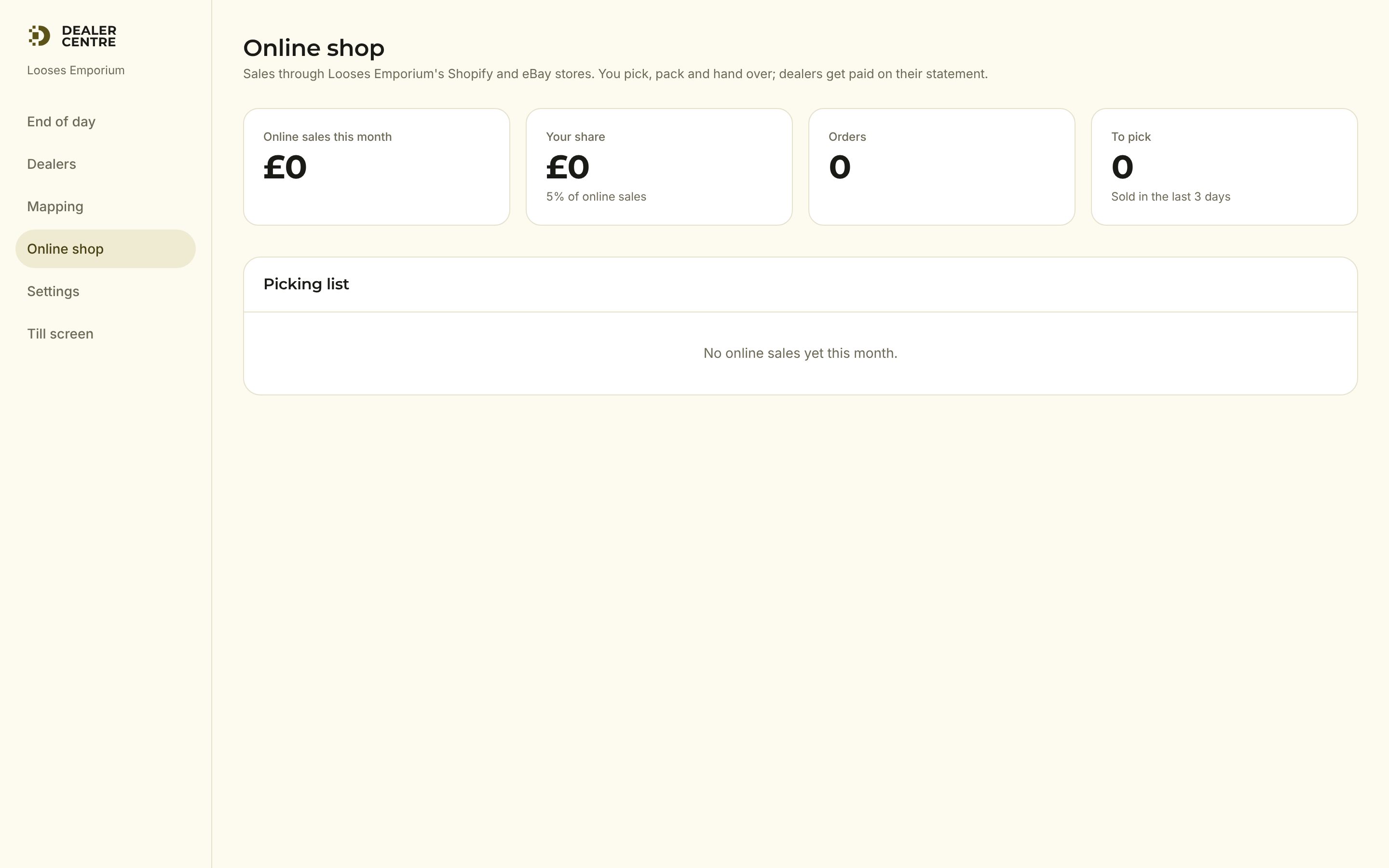
Connect the centre's Shopify in Settings and dealers can toggle items onto it when they list. We run the shop, answer the customers and pack the orders. No monthly cost: 20% commission on what sells, you and the dealer share the rest.
When you buy a Square till
- 1Settings, Connect Square, approve.
- 2Mapping page: each dealer gets a Square category (Create in Square does it for you).
- 3Press Push all stock to till. Every live item appears in Square with its barcode. Nothing is retyped.
- 4From then on the till records the sale the moment it is rung through, and End of day is only for stragglers.
Settings worth knowing
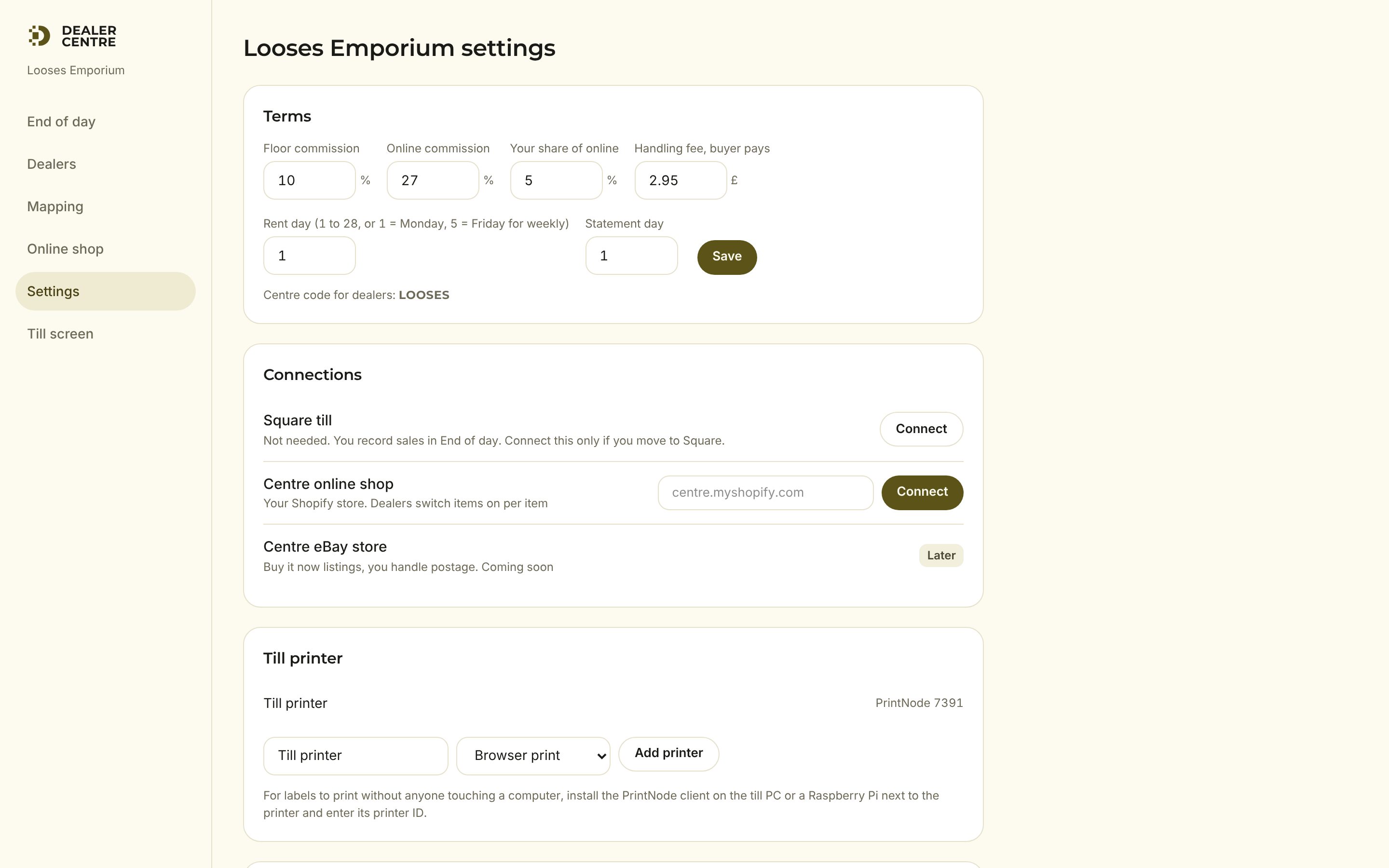
Rent and commission terms (including the online share), the till PIN, label printers, the centre's Shopify, and your subscription (opens a secure Stripe page to change card or cancel).